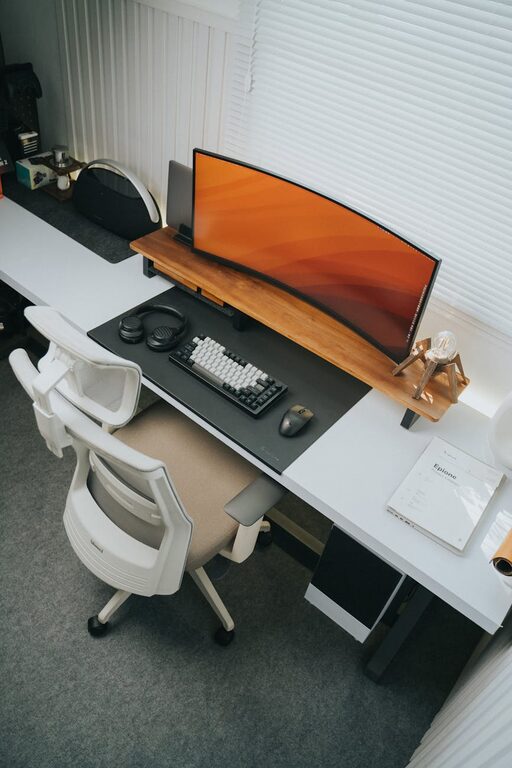

Creating a cozy and productive home workspace can greatly enhance your ability to focus and enjoy your workday. Whether you work remotely full-time or occasionally need a quiet corner to handle tasks, designing a space that balances comfort and efficiency is essential. Here are some practical tips to help you create a workspace that feels welcoming yet promotes productivity.
Choose the Right Location
The first step in setting up a home workspace is selecting the right spot. Ideally, choose a quiet area with minimal distractions and enough room for your needs.
– Natural Light: Position your desk near a window if possible. Natural light can improve mood and reduce eye strain.
– Away from High-Traffic Areas: Avoid setting up near TV rooms or busy kitchens to minimize interruptions.
– Space Considerations: Ensure there is enough room for essential furniture and storage without feeling cramped.
Invest in Comfortable and Functional Furniture
Your furniture plays a key role in your comfort and productivity. Making smart choices here can prevent discomfort and keep you motivated.
– Ergonomic Chair: A supportive chair helps maintain good posture and reduces fatigue.
– Desk Size and Height: Choose a desk that fits your equipment comfortably and suits your height to avoid strain.
– Storage Solutions: Use shelves, drawers, or organizers to keep supplies tidy and accessible.
Personalize Your Workspace
Adding personal touches can make your workspace more inviting and increase your emotional connection to the area.
– Decor: Include artwork, plants, or meaningful objects that inspire you.
– Colors: Choose wall colors or accessories that feel calming or energizing, depending on your preference.
– Lighting: Supplement natural light with warm lamps or adjustable desk lighting to create a balanced ambiance.
Maintain Good Organization
Clutter can interfere with focus. An organized workspace helps clear your mind and keeps you productive.
– Declutter Regularly: Get rid of items you don’t need or use.
– Use Organizers: Desk trays, cable management tools, and filing systems keep things orderly.
– Digital Organization: Keep your computer files and email inbox tidy for efficiency.
Set Clear Boundaries
When working from home, it’s easy for work and personal life to blend. Defining boundaries helps maintain balance.
– Dedicated Workspace: Use your workspace exclusively for work-related activities.
– Working Hours: Establish and stick to specific start and finish times.
– Breaks and Movement: Schedule regular short breaks and stretch to maintain focus and health.
Embrace Technology Wisely
The right technology can boost productivity, but avoid unnecessary distractions.
– Reliable Internet: Ensure you have fast and stable internet connectivity.
– Noise-Cancelling Headphones: These can help block out background noise.
– Organized Cables: Avoid tangled wires with cable organizers or wireless devices.
Optimize for Comfort and Health
Considering your physical well-being improves long-term comfort and work quality.
– Ergonomic Accessories: Items like keyboard rests or monitor stands can reduce strain.
– Temperature Control: Keep your workspace at a comfortable temperature.
– Air Quality: Fresh air or an air purifier can help you stay alert.
Foster Inspiration and Motivation
A workspace that sparks creativity can make work more enjoyable.
– Vision Board: Display goals or motivational quotes.
– Inspiring Books or Tools: Keep resources nearby that stimulate learning and growth.
– Flexible Setup: Allow space for movement or standing desks if preferred.
Final Thoughts
Creating a cozy and productive home workspace involves thoughtful choices about location, furniture, organization, and personal touches. With a little effort, you can build a space that supports your best work while feeling comfortable and inspiring. Remember, your workspace should evolve with your needs, so don’t hesitate to make changes as you discover what works best for you.